
Workplace & remote IT
Stackroom vs Oomnitza
Oomnitza unifies technology asset data from across your existing systems and automates lifecycle governance on top of it. Stackroom is a register you maintain directly, built around the physical object and who is holding it.
Stackroom vs Oomnitza: which should you choose?
Oomnitza is the better choice for large organisations that already run MDM, identity, procurement and finance systems and need one reconciled view with automated governance. Stackroom is the better choice for organisations that need the register itself — signed custody, condition, audits and book value — without an integration programme.
Side by side
Stackroom vs Oomnitza: pricing, limits and features
Grouped so you can jump to the part you care about. Our figures come from our billing API, so they match the invoice.
Pricing & plans
Free plan
- Stackroom
- Free forever — 250 assets, 500 people, unlimited users, no card
- Oomnitza
- None
Paid plans start at
- Stackroom
- $0/mo for Starter — published, self-serve
- Oomnitza
- Not published.
How the bill scales
- Stackroom
- Capability and capacity — never headcount, never how much you track
- Oomnitza
- Not published. There is no public pricing page — the route in is a demo booking.
Limits
Asset limits
- Stackroom
- 250 free, up to 10,000 on Premium, custom on Enterprise
- Oomnitza
- Not published
Users & seats
- Stackroom
- Unlimited on every plan, including Free — seats are never the meter
- Oomnitza
- Not published
Locations & sites
- Stackroom
- 1 on Free, unlimited on every paid plan
- Oomnitza
- Not published
How each tool is set up
Time to first real use
- Stackroom
- Same day
- Oomnitza
- Integration project
Self-serve free tier
- Stackroom
- Yes
- Oomnitza
- No
What each tool covers
Covers non-IT equipment
- Stackroom
- Any asset type
- Oomnitza
- Technology assets
Custody & accountability
Signed handover & return
- Stackroom
- Yes
- Oomnitza
- Assignment
Asset clearance certificate for leavers
- Stackroom
- Yes
- Oomnitza
- No
Signed webhooks with retries
- Stackroom
- 41 events, HMAC-signed, retried
- Oomnitza
- Not published
Audits & compliance
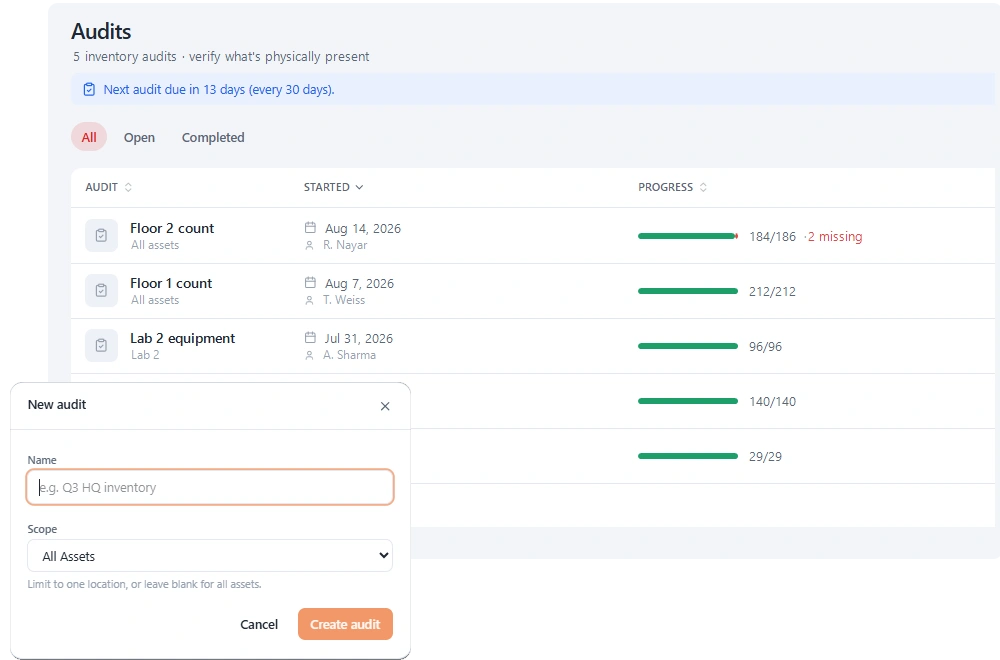
Scoped cycle-count audits
- Stackroom
- Yes
- Oomnitza
- Reconciliation
Maintenance & service
AMC / CMC service contracts
- Stackroom
- Yes
- Oomnitza
- Contracts
Finance & lifecycle
Depreciation (SLM / WDV) & book value
- Stackroom
- Yes
- Oomnitza
- Yes
Platform, API & AI
Reconciles data across existing systems
- Stackroom
- No
- Oomnitza
- Its strength
Automated lifecycle workflows
- Stackroom
- Notifications & webhooks
- Oomnitza
- Its strength
Software licence & SaaS governance
- Stackroom
- No
- Oomnitza
- Yes
Depends on other systems for data
- Stackroom
- Self-contained
- Oomnitza
- By design
REST API
- Stackroom
- Documented, with a published OpenAPI spec
- Oomnitza
- Not published
Built-in AI assistant
- Stackroom
- Stackroom AI, role-scoped
- Oomnitza
- Not published
| Capability | Stackroom | Oomnitza |
|---|---|---|
| Pricing & plans | ||
| Free plan | Free forever — 250 assets, 500 people, unlimited users, no card | None |
| Paid plans start at | $0/mo for Starter — published, self-serve | Not published. |
| How the bill scales | Capability and capacity — never headcount, never how much you track | Not published. There is no public pricing page — the route in is a demo booking. |
| Limits | ||
| Asset limits | 250 free, up to 10,000 on Premium, custom on Enterprise | Not published |
| Users & seats | Unlimited on every plan, including Free — seats are never the meter | Not published |
| Locations & sites | 1 on Free, unlimited on every paid plan | Not published |
| How each tool is set up | ||
| Time to first real use | Same day | Integration project |
| Self-serve free tier | Yes | No |
| What each tool covers | ||
| Covers non-IT equipment | Any asset type | Technology assets |
| Custody & accountability | ||
| Signed handover & return | Yes | Assignment |
| Asset clearance certificate for leavers | Yes | No |
| Signed webhooks with retries | 41 events, HMAC-signed, retried | Not published |
| Audits & compliance | ||
| Scoped cycle-count audits | Yes | Reconciliation |
| Maintenance & service | ||
| AMC / CMC service contracts | Yes | Contracts |
| Finance & lifecycle | ||
| Depreciation (SLM / WDV) & book value | Yes | Yes |
| Platform, API & AI | ||
| Reconciles data across existing systems | No | Its strength |
| Automated lifecycle workflows | Notifications & webhooks | Its strength |
| Software licence & SaaS governance | No | Yes |
| Depends on other systems for data | Self-contained | By design |
| REST API | Documented, with a published OpenAPI spec | Not published |
| Built-in AI assistant | Stackroom AI, role-scoped | Not published |
Honest take: Oomnitza leads on enterprise reconciliation across many systems and on automated lifecycle workflows. Stackroom leads on being usable next week by the people who physically handle equipment.
Oomnitza capabilities verified September 2026 · plan facts read from their pricing page , September 2026. Spotted something out of date? Tell us.
Plan gating
Which tier unlocks what
What you have to be paying for before each capability is available.
- CSV importStarter and up
- Barcode & QR scanningStarter and up
- Bookings & reservationsStarter and up
- Maintenance & serviceStarter and up
- Cycle-count auditsGrowth and up
- Report libraryGrowth and up
- Custom fieldsGrowth and up
- Stackroom AIFree and up
- REST APIGrowth and up
- Signed webhooksGrowth and up
- Custom rolesGrowth and up
- Google / Microsoft SSOFree and up
- Nothing is published about tiering or limits
Priced for different buyers. Oomnitza is a platform decision reached through a sales process; Stackroom is a subscription you can start this afternoon.
The difference
What Stackroom and Oomnitza are each built to do
A reconciliation layer is only as good as what it reconciles
Oomnitza's model is that your asset truth already exists, scattered across MDM, identity, procurement, finance and the service desk. Its job is to pull those together, resolve the conflicts and automate what happens next. For a large enterprise with all of those systems running properly, that is a strong proposition and the automation is real.
The dependency is the thing to weigh. A reconciliation platform derives its accuracy from its sources, which means anything none of your systems knows about stays invisible — and a great deal is invisible to all of them. A monitor has no MDM record. A dock has no identity. A meeting-room screen appears in no procurement feed anyone maintains.
Stackroom is self-contained by design. The register is authoritative because somebody scanned the thing and signed for it, not because three systems agreed.
Who actually maintains the record
This is the practical divide. Oomnitza is operated by IT, integration-first, and its accuracy improves as your source systems improve.
Stackroom is operated by whoever is standing next to the equipment — an office manager issuing a laptop, a technician taking something for repair, somebody walking a floor on a count. Every plan includes unlimited users precisely because the people who create good asset data are rarely the people an enterprise licence is sized for.
Neither is better in the abstract. It depends on whether your problem is that your systems disagree, or that nobody wrote anything down in the first place.
Scale, and being honest about it
For a genuinely large technology estate with compliance obligations and a mature systems landscape, Oomnitza is aimed at that and we are not. Cross-system reconciliation and audit-grade governance at that scale is a real discipline.
Where we would argue is the middle: organisations told they need an enterprise platform when what they actually need is a register that is accurate, with custody, audits and cover. That is a much smaller problem than it is usually sold as, and buying the larger answer often means the register still is not maintained — it is just reconciled more thoroughly.
Why teams switch
What we hear from teams leaving Oomnitza
The integration project outlasted the need
Reconciliation platforms deliver once the sources are connected. Teams with a problem this quarter often need something working this month.
The invisible half stayed invisible
Monitors, docks, furniture and AV equipment appear in no MDM or identity feed, so a reconciliation layer has nothing to reconcile.
The people handling equipment had no access
Enterprise licensing tends to exclude the office manager and the technician, which is exactly who knows where things went.
The other side
When Oomnitza is the better choice
We would rather you picked the right tool than picked ours.
- You have MDM, identity, procurement and finance systems running well and need one reconciled view.
- Automated lifecycle governance across business units is the requirement.
- Software licence and SaaS compliance are part of the scope.
- You are an enterprise with the budget and sponsorship for an integration programme.
Switching
Moving from Oomnitza
- 1
Export from Oomnitza
Take a full CSV export of your asset list, including serial numbers, categories, locations and any custom fields you rely on — if Oomnitza only offers XLSX, save it as CSV, because that is what the importer reads. Export your people list separately if Oomnitza keeps one.
- 2
Map the columns once
The importer previews your file and lets you map each column to a Stackroom field. Categories, locations and departments are created from the values in your file, so you do not build the hierarchy by hand first.
- 3
Import people, then assets
Loading people first means custody assignments resolve to a real person on the asset import rather than needing a second pass.
- 4
Check a sample, then go
Spot-check twenty records against the old system before you invite the team. Re-importing is safe — matching on an existing code updates rather than duplicates.
Nothing is deleted from Oomnitza by importing into Stackroom, so you can run both in parallel for a week while people get used to the change.
FAQ
Questions, answered
Does Stackroom integrate with MDM or identity providers?
Not with prebuilt connectors. The REST API accepts asset creation and updates, so a scheduled job can push data in from MDM or an identity provider. If deep multi-system reconciliation is the requirement, that is what Oomnitza is for.
Is Stackroom suitable for a large enterprise?
For the register itself, yes — hierarchical locations, departments and configurable roles are built for multi-site organisations. The caution is scope rather than scale: if you need cross-system reconciliation and SaaS governance, we do not offer either.
What does Stackroom know that a reconciliation platform cannot?
Anything none of your systems records. That a named person signed for an item, what condition it came back in, that somebody physically verified it present on a date, and everything that has no MDM record at all — which is most of an office.
Can we run both?
Yes. Oomnitza for the technology estate and its governance, Stackroom for physical custody and the equipment outside the technology stack. The API keeps shared records aligned.
Can we import our data from Oomnitza?
Yes. Export your inventory to CSV and import it into Stackroom. Categories, locations and custom fields map across, and our team will help with the awkward parts of a larger migration.
How long does switching actually take?
Most teams import in the morning and run a real checkout the same afternoon. There is no implementation project and no professional services fee. The longest part is usually relabelling, and that can be done gradually.
Do we have to relabel everything?
No. If your existing labels carry a code you already track, import that code and keep using them. New QR labels can be printed on standard address stock as and when you need them.
Is Oomnitza free?
No. Oomnitza has no free plan. Stackroom has a permanent free plan with unlimited users and no card required.
How is Oomnitza priced compared with Stackroom?
Not published. There is no public pricing page — the route in is a demo booking. Stackroom prices on capability and capacity instead: users are unlimited on every plan, and tracking more equipment never moves the bill on its own.
What are the Oomnitza asset and user limits?
Assets: Not published. Users: Not published. Locations: Not published. Every Stackroom limit is published on our pricing page and served from our billing API, so it matches your invoice.
Other comparisons
Looking at something else?
Outgrowing Oomnitza?
Import your data, print a sheet of labels, and run a real checkout the same day.